
How it works
From first inquiry to event-day sheet
A recorded session with a sample brewery and a fictional guest - the real screens, start to finish. The steps are below the video.
Read the transcript
VenueSprocket helps restaurants, bars and breweries book private events.
Create a free account with your name, email, a password and your venue's name. Your inquiry page is live as soon as you finish.
Share the link, or add a booking button to your website from Settings.
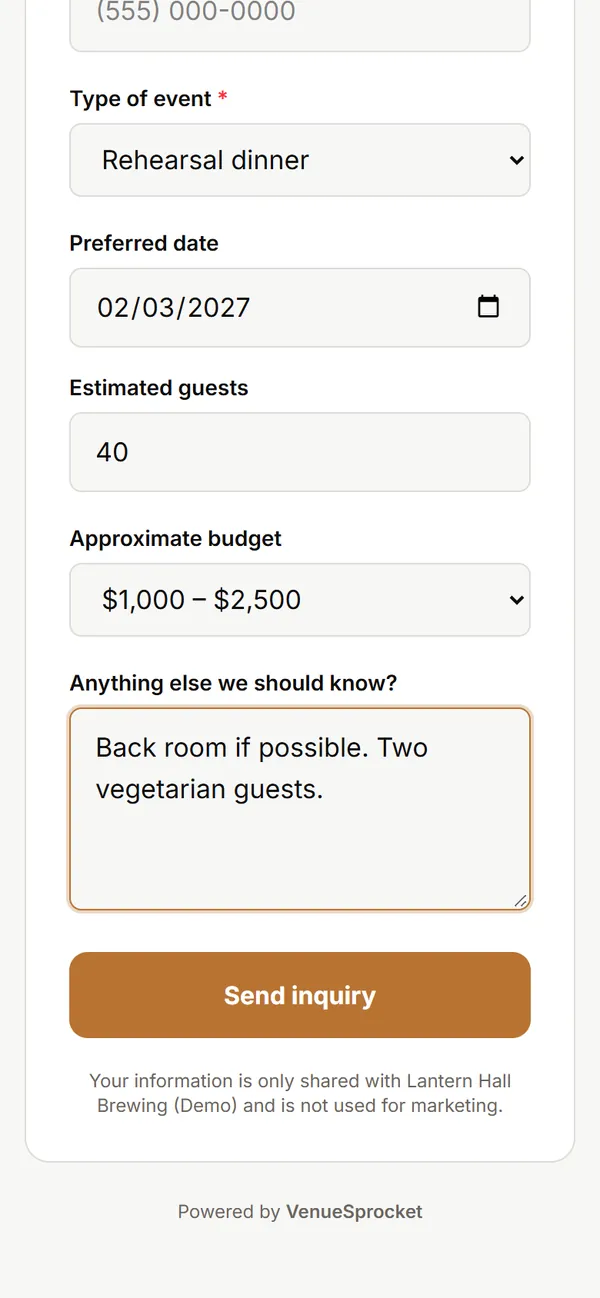
Here's a guest planning a rehearsal dinner. She picks the event type, date and guest count on her phone, and sends it. No account needed.
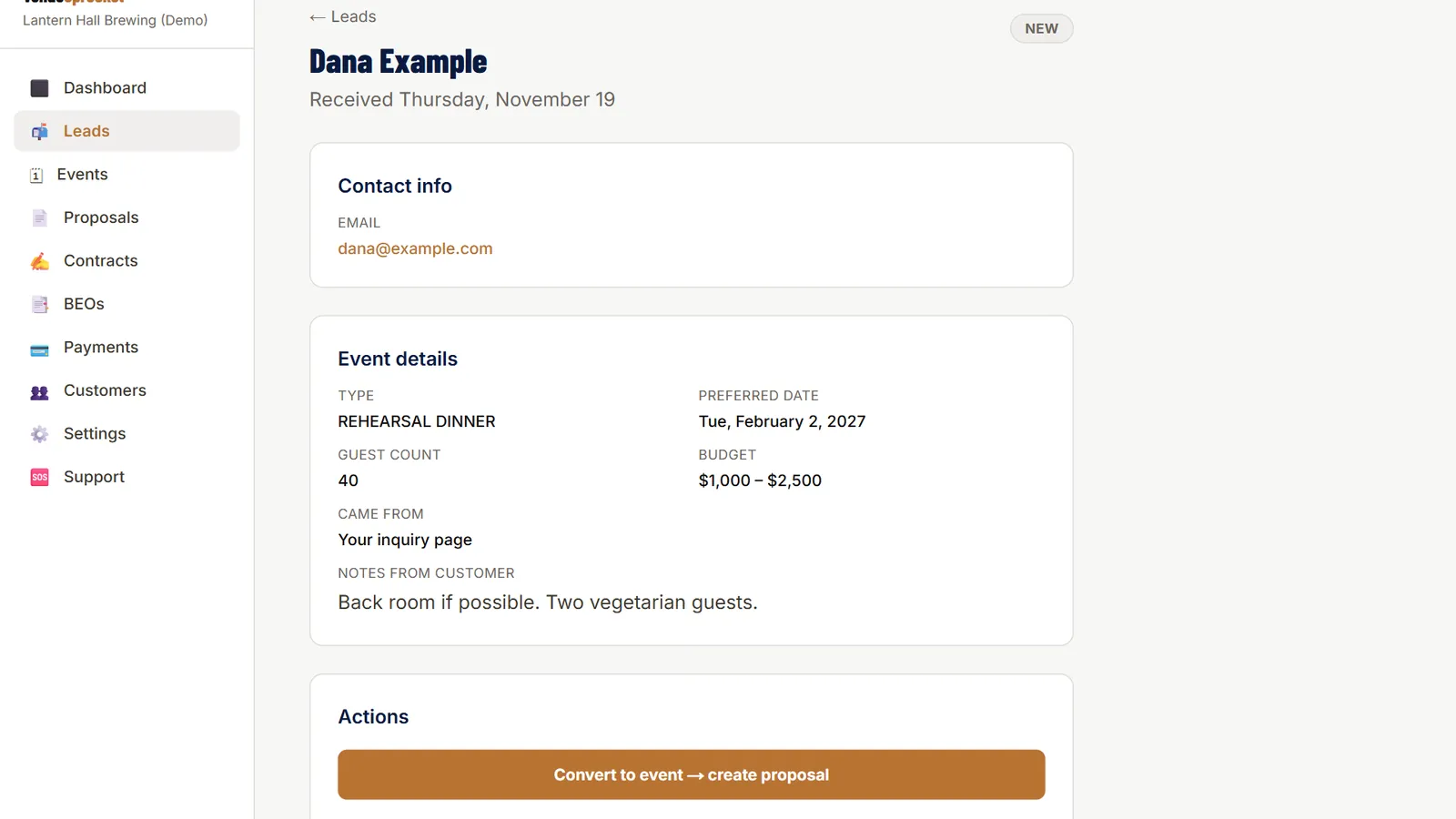
The inquiry lands in your dashboard as a new lead, with the date, guest count and contact details.
Turn the lead into an event, then build a proposal: a room fee, a food and beverage minimum, and a deposit. Send it as a secure link.
Your customer reviews the proposal and accepts it online.
Generate the contract. The guest signs with a typed signature, then can pay the deposit through Stripe.
Then build the banquet event order for your team: room setup, food, beverage, staffing and AV, with a print view.
Free covers your inquiry page and leads. Starter, $29 a month, adds proposals. Pro, $79, adds contracts, deposits and BEOs.
Start free at venuesprocket.com.
Step by step
One booking, one screen at a time
Real screens from the demo above. Numbered markers point to the controls you'll use.
- 1
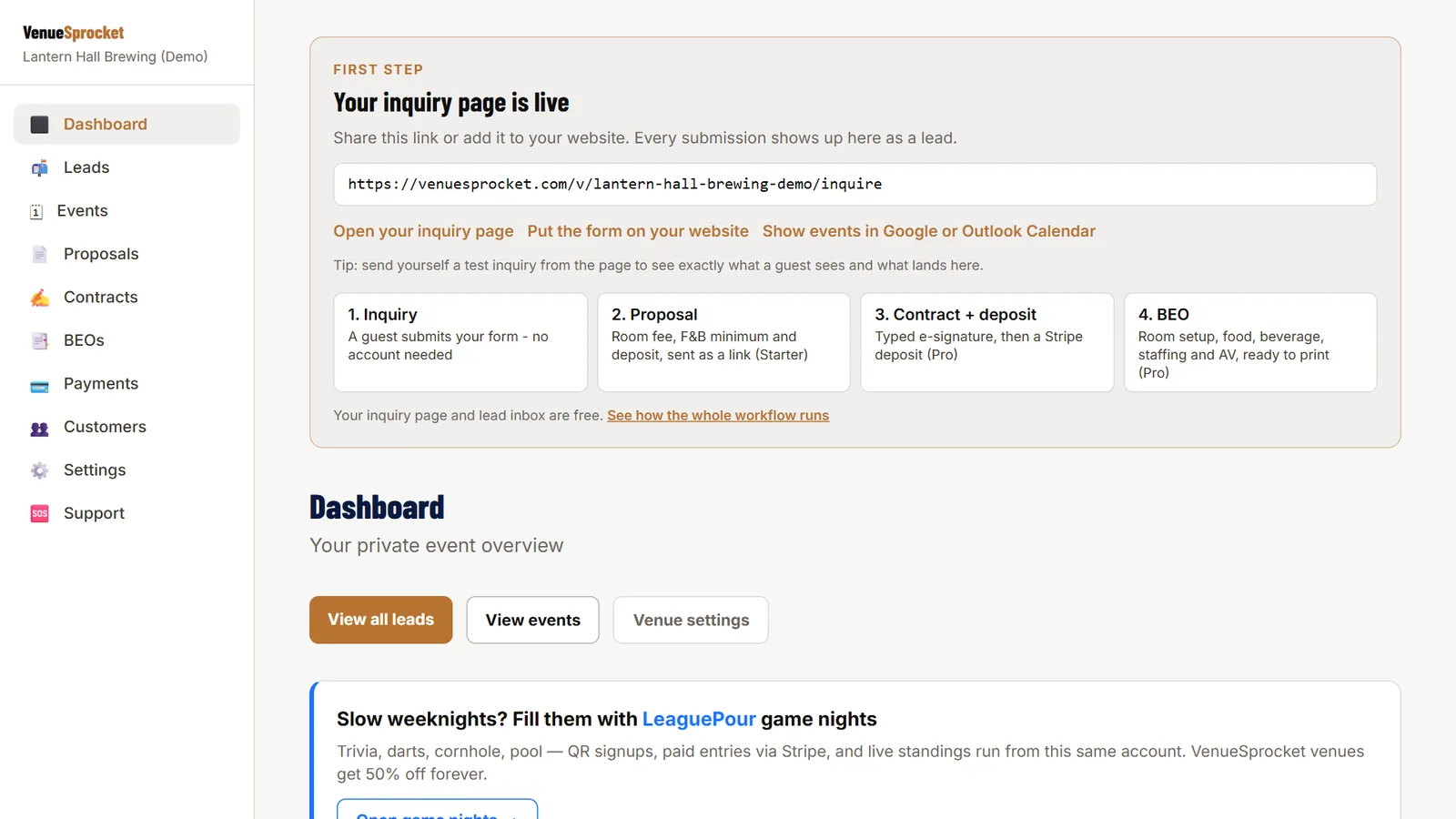
Your inquiry page is live at signup
Create a free account with your name, email, a password and your venue's name. The dashboard shows your inquiry link right away; Settings has copy-paste code to put the form, or a booking button, on your website.
- Your public inquiry page link
- Put the form on your website (Settings)
- 2
A guest sends an inquiry from their phone
Name, email, event type, date, guest count, budget and notes. Guests never create an account.
- 3
It lands as a lead
Every submission appears in your dashboard with the date, guest count and contact details. Reply by email from the lead, or convert it to an event.
- Event details from the inquiry
- Convert to event, then build the proposal (Starter)
- 4
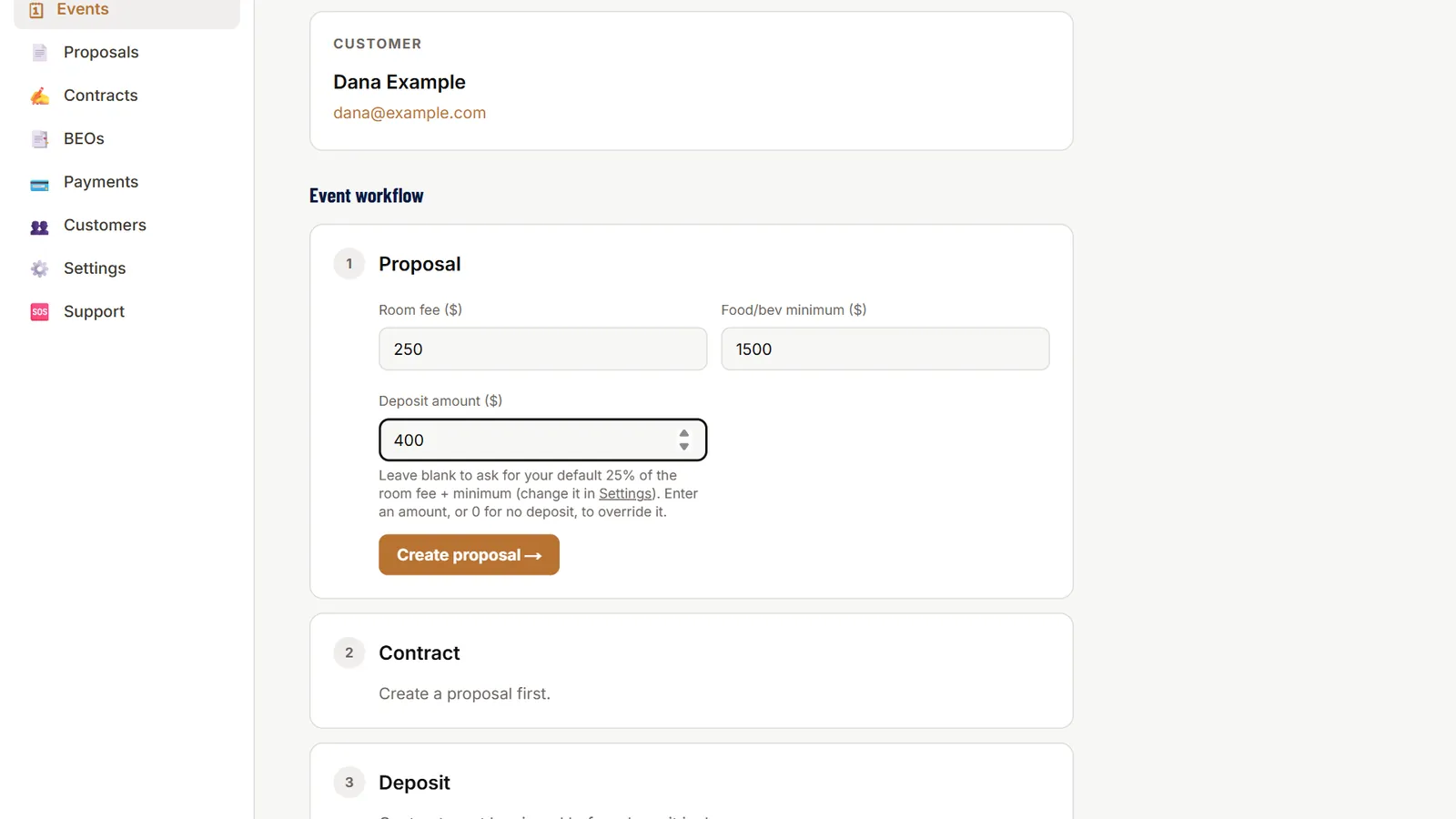
Build and send the proposal
A proposal is a room fee, a food and beverage minimum, and a deposit (or your default deposit percentage). Send it as a secure link.
- Room fee
- Food and beverage minimum
- Deposit amount (Pro)
- Create proposal, then Send to customer
- 5
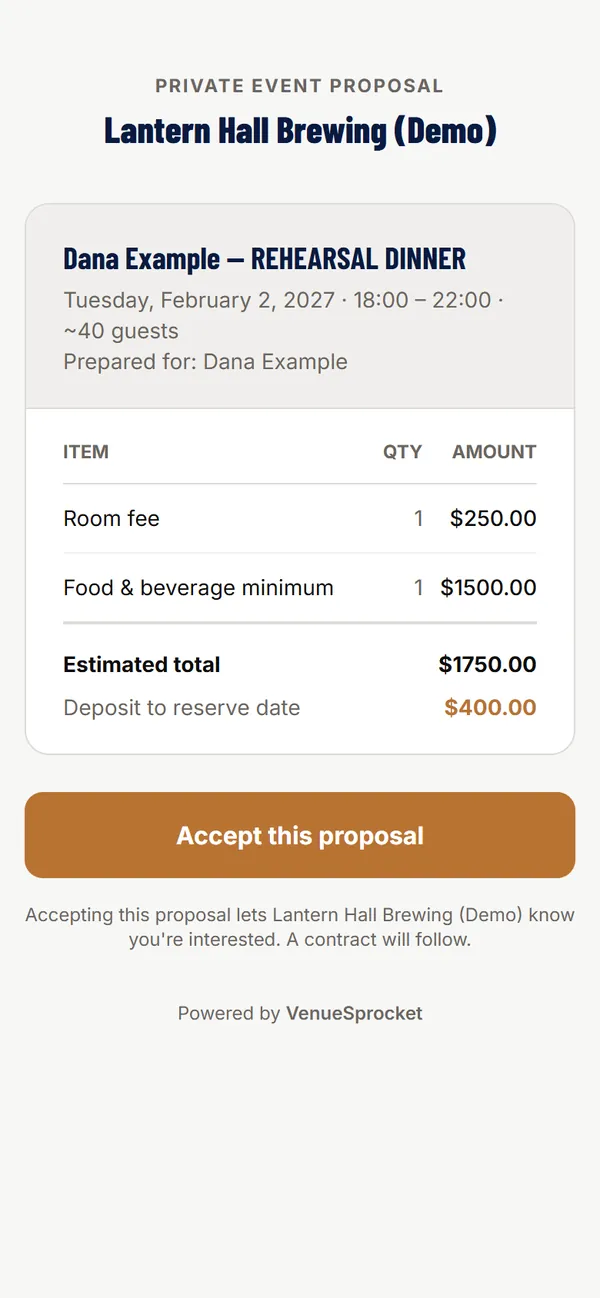
The guest accepts online
The guest opens the link on any device, reviews the totals and accepts. You see the status change on the event.
- 6
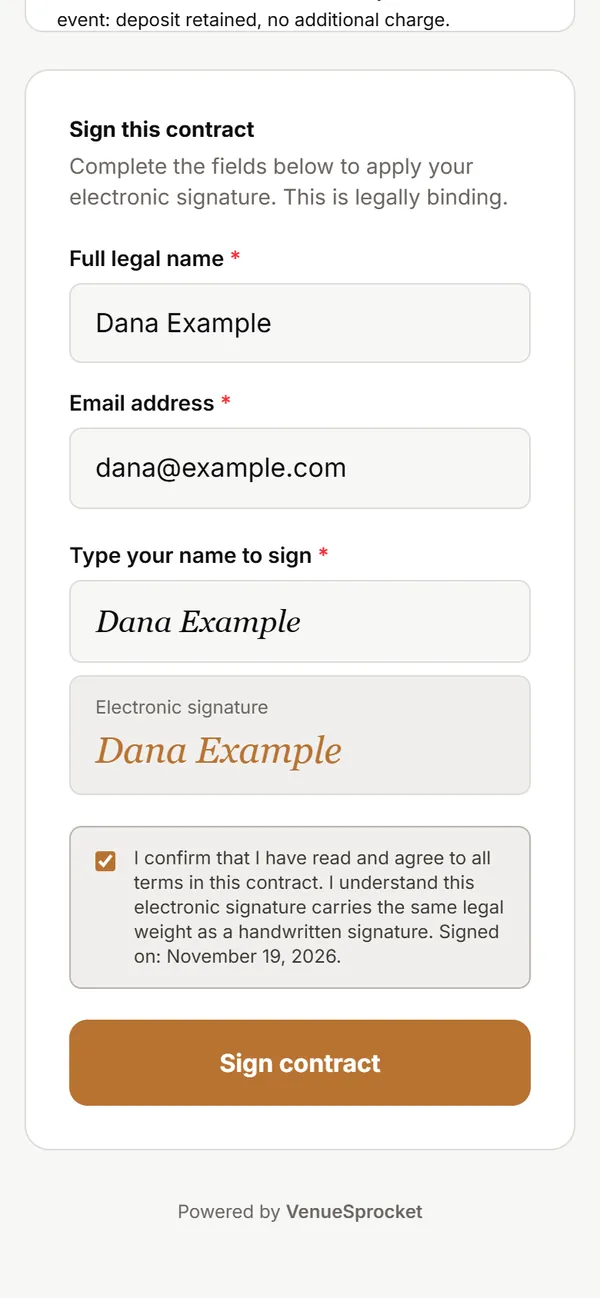
Contract, e-signature and deposit
Generate the contract from the same event, activate it, and the guest signs with a typed signature (time, IP and browser are recorded). They can then pay the deposit through Stripe on your connected account.
- 7
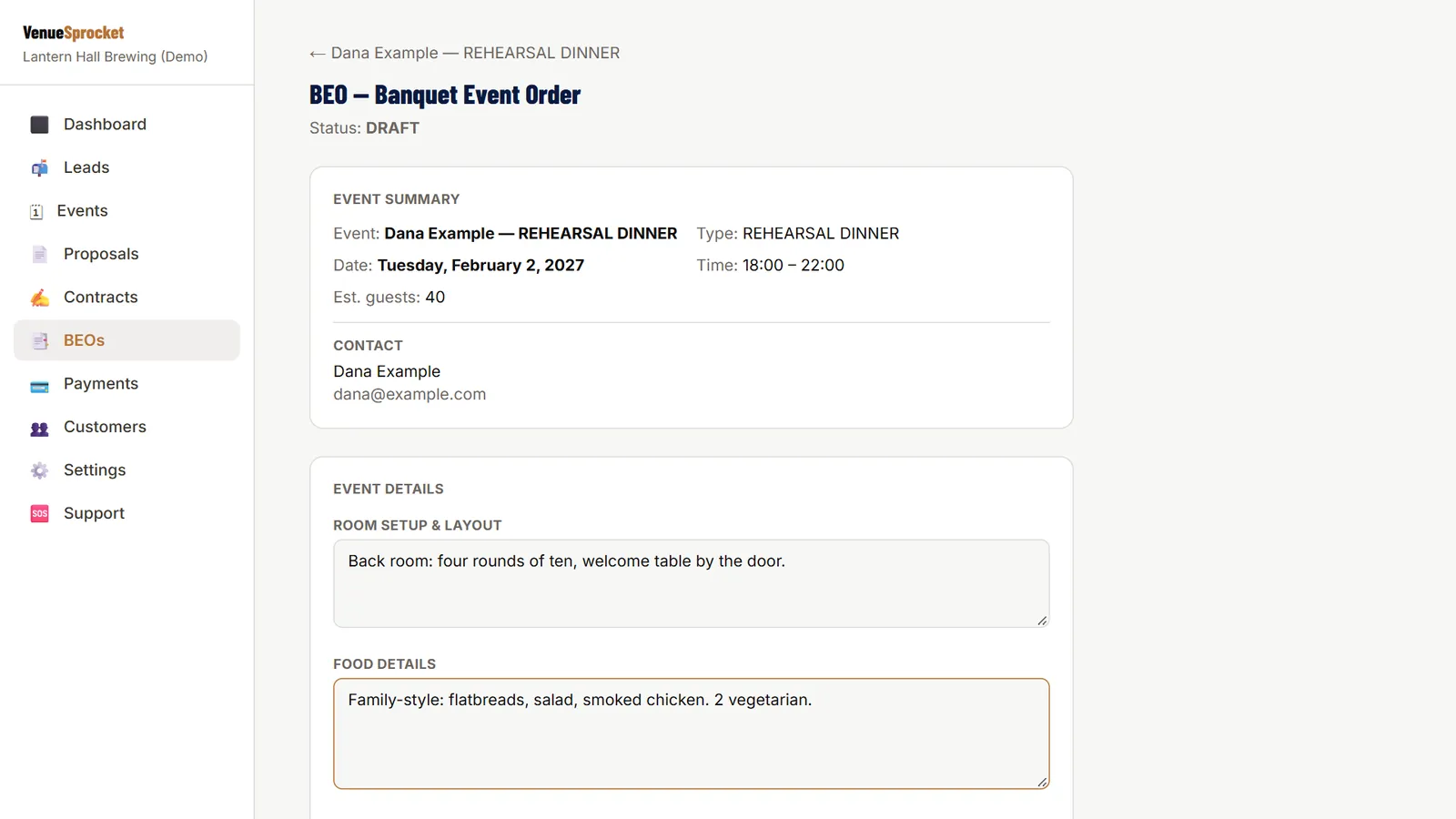
Hand your team the BEO
Start a Banquet Event Order from the event: name, date, times, guest count and contact carry over. Add room setup, food, beverage, staffing, AV, allergies and internal notes, then print it.
- Room setup and layout
- Food, beverage, staffing and AV sections
What each plan includes
- Free: inquiry page, unlimited inquiries, lead dashboard, customer records, lead notifications.
- Starter, $29/mo: + lead pipeline and the proposal builder.
- Pro, $79/mo: + deposits, contracts with e-signature, BEOs and follow-up reminders.
- Deposits: charged through Stripe on your connected account, at Stripe's rates.
The demo venue is on Pro so every step can be shown. Anything a guest does with a document you already sent keeps working on any plan.
The 25-second version
Read the transcript
VenueSprocket books private events for restaurants, bars and breweries.
Guests send an inquiry from your free booking page.
Turn it into a proposal, a signed contract and a deposit.
Then hand your team a printable event order.
Start free at venuesprocket.com.
Questions
How do I start?
Create a free account with your name, email, a password and your venue's name. Your inquiry page is live immediately; share the link, or embed the form or a booking button on your website from Settings.
What does it cost?
Free covers your inquiry page and lead inbox, with no limit on inquiries. Starter ($29/month) adds the lead pipeline and proposals. Pro ($79/month) adds deposits, contracts with e-signature, BEOs and follow-up reminders. No card is needed for Free.
Do my customers need accounts?
No. Guests submit inquiries, review and accept proposals, sign contracts and pay deposits from links, without an account.
Is a download required?
No. VenueSprocket runs in the browser for you and your guests, on a phone or a computer.
How do sharing and setup work?
Your inquiry page has its own link from the moment you sign up. To collect deposits, connect your Stripe account; payouts follow Stripe's schedule. There is no onboarding call or setup wizard.
More: Features · Free templates · FAQ